BiteJot AI: Weight Loss
Log meals in seconds. Keep showing up.
Track food, goals and weight in one calm place. Snap a photo, say it, or type it, then check every item before it is saved.
Free to download. No account needed. For adults 18+. AI features are not available in mainland China, Hong Kong or Macao. Screens on this site are real screenshots with sample data.
Everything in one place
The whole weight-loss routine, not just a food diary.
Logging is where many plans stall. So we made it quick, then built the rest of the routine around it.
Photo logging
Snap your plate. The AI lists the foods it sees and estimates the portions.
Voice and text
Say or type what you ate in your own words. No forms to fill in.
Barcode and search
Scan packaged food, or search more than 15,000 foods from public nutrition databases.
Daily overview
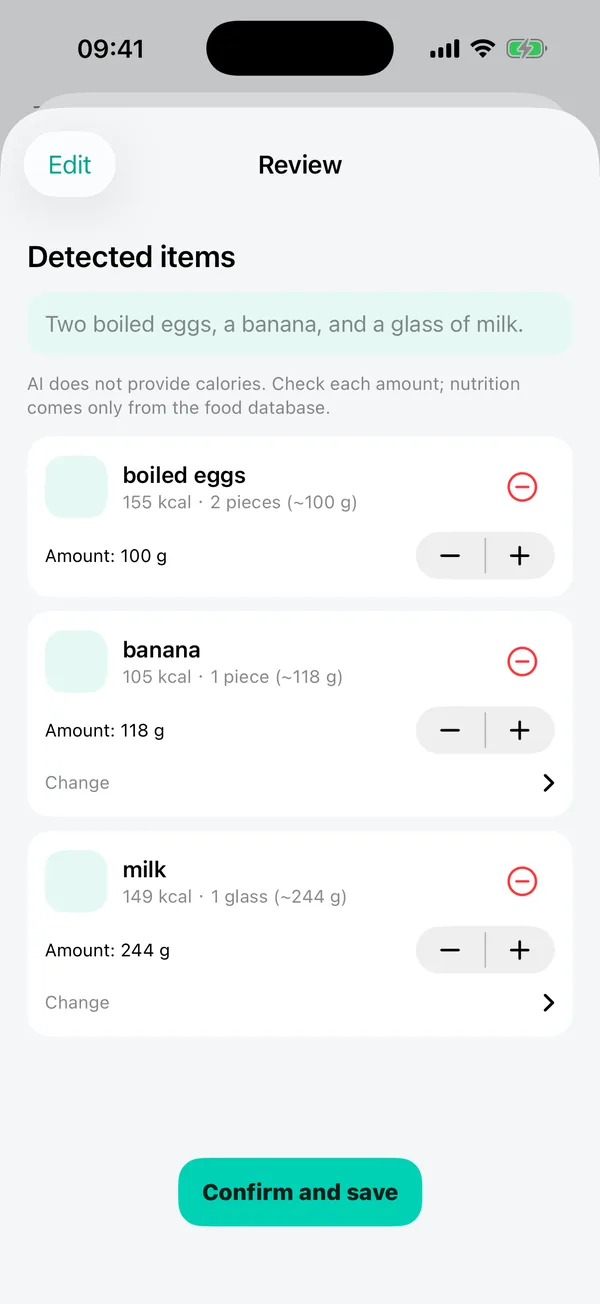
Eaten, active and water rings show what is left to eat today at a glance.
Goals and trends
See your weight trend over 7, 30 or 90 days, and how far you have come.
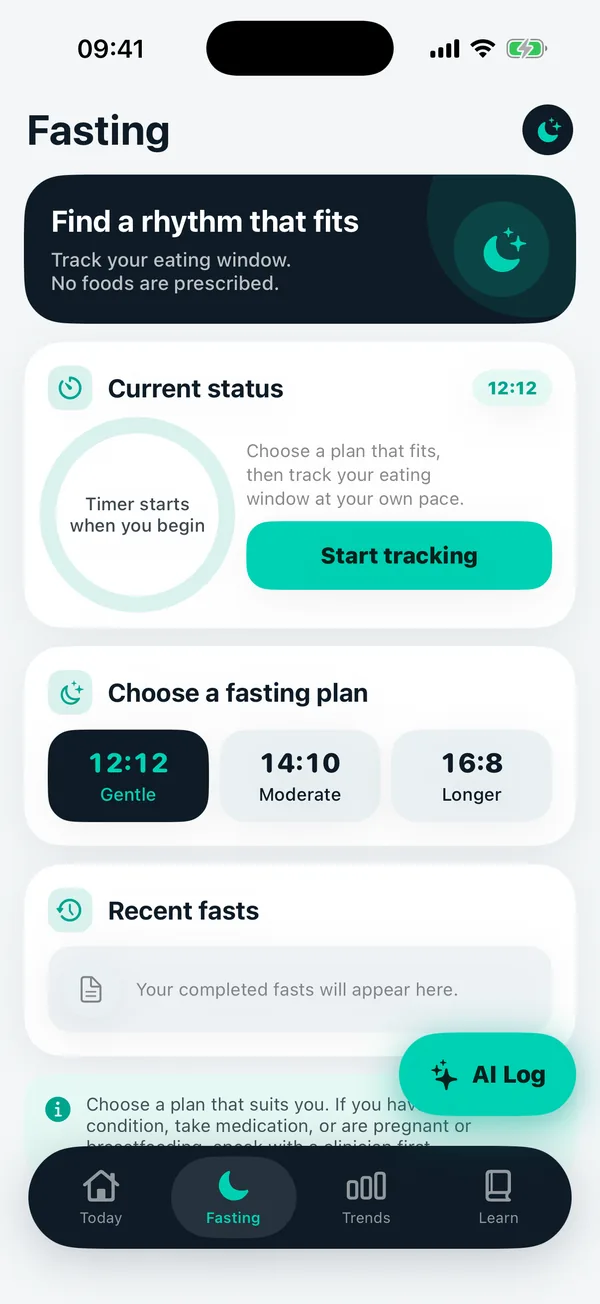
Gentle fasting timer
Track 12:12, 14:10 or 16:8 windows, with a safety check before you start.
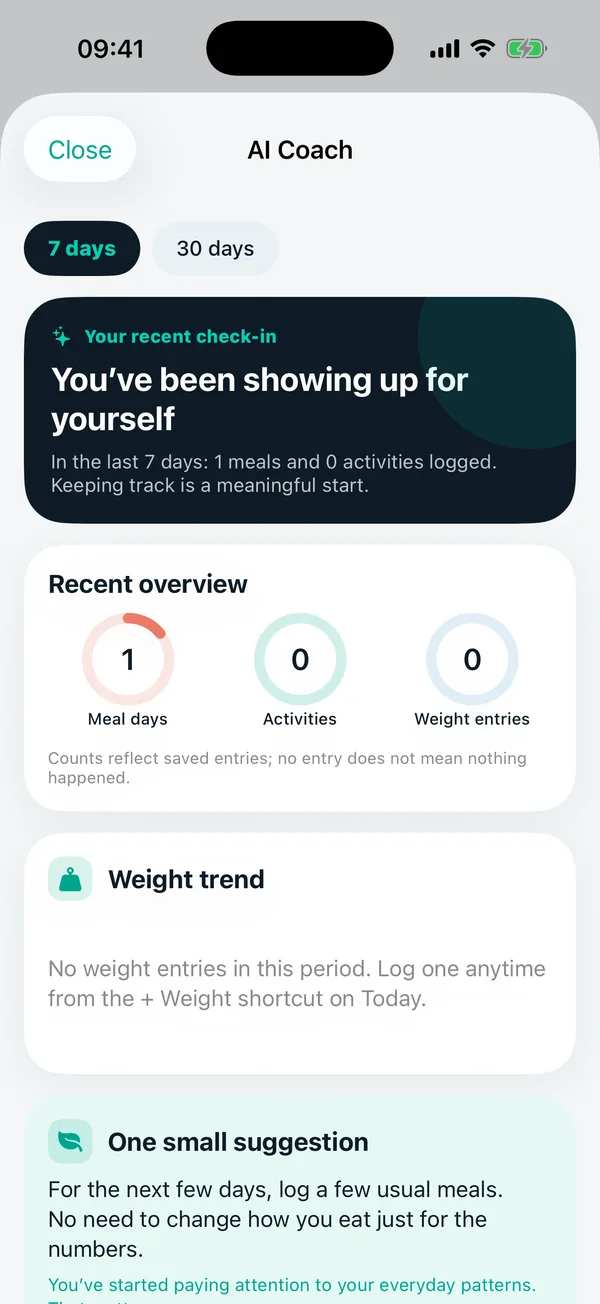
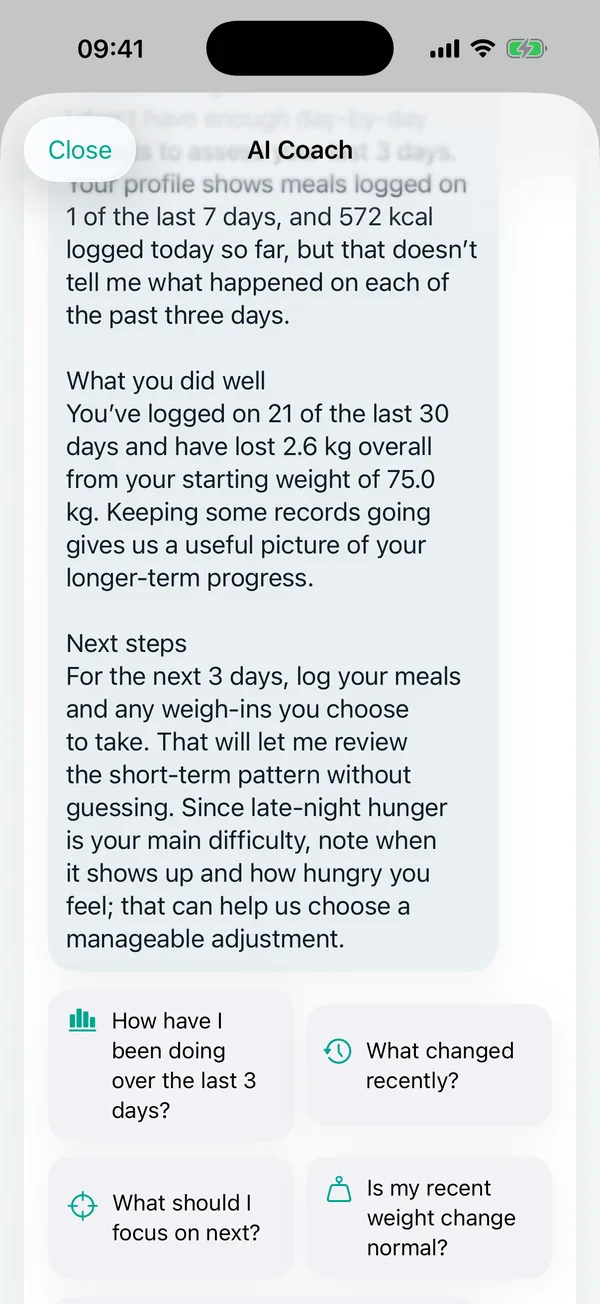
AI coach
Ask how your week went. It answers from your own records, and says so when data is thin.
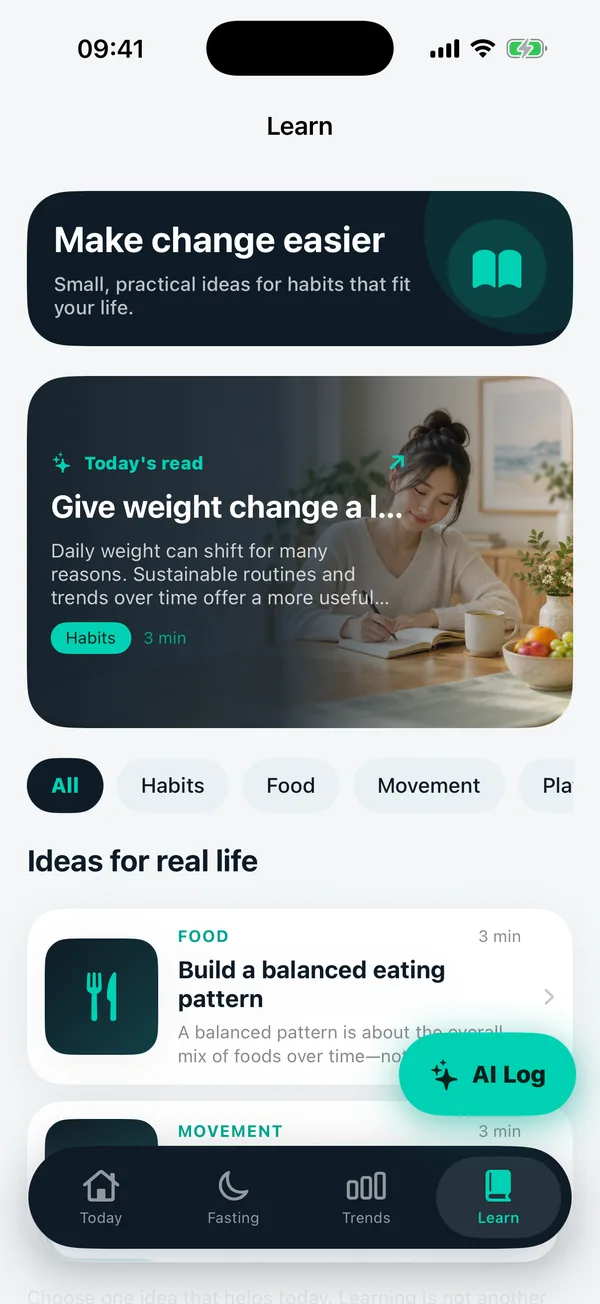
Short, sourced reads
Practical articles on food, movement and habits, with sources.
Log
A photo, a few words, or a scan.
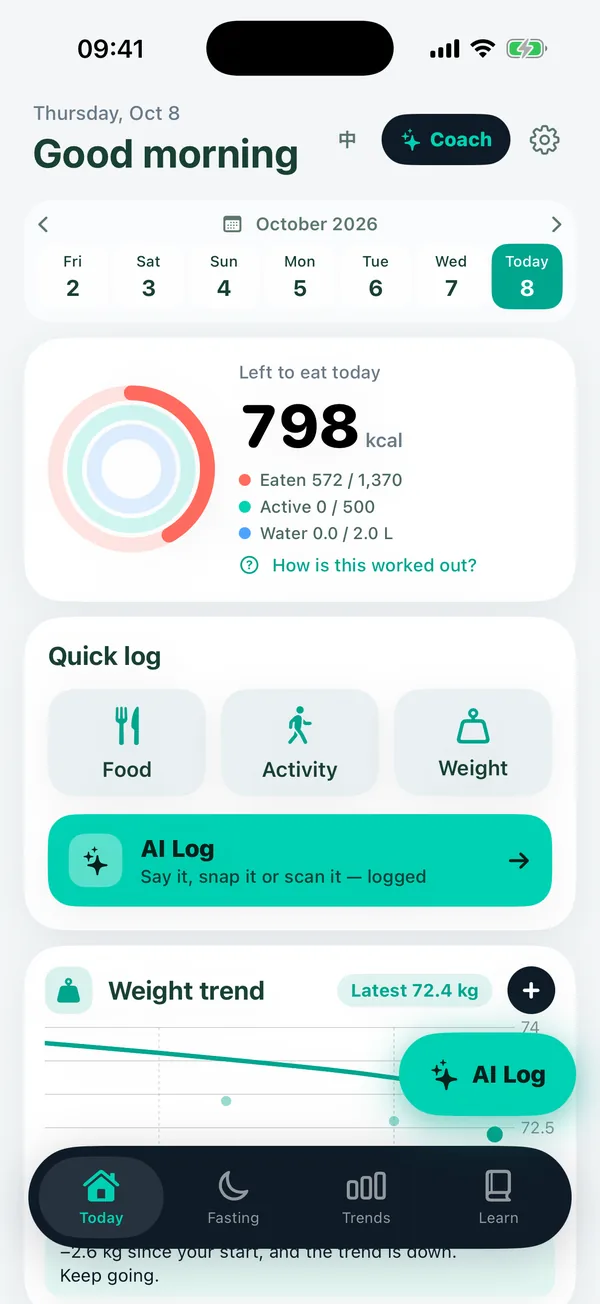
Choose whichever is easiest in the moment. Every route ends in the same review screen.
- Take a photo and review the estimate before saving.
- Say what you ate, or type it, in plain English.
- Scan a barcode for packaged food.
- Search the on-device food catalog first, then online.
Review
You stay in charge of every number.
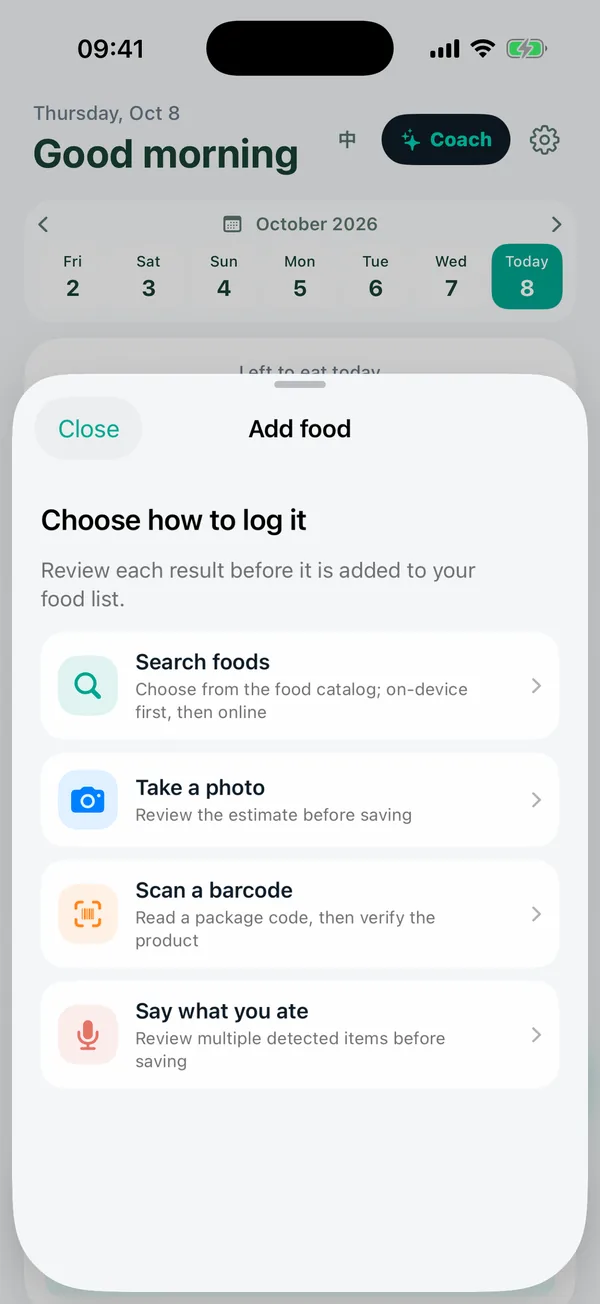
The AI names foods and amounts. The database supplies the calories. You decide what gets saved.
- Calories come from the food database, not from the AI.
- Change the amount or swap a food with a tap.
- Remove an item and undo it if you slip.
- Nothing is saved until you confirm.
Today
One calm view of your day.
See what you have eaten, how active you have been and how much water you have had, without a wall of numbers.
- Left to eat today updates as you log.
- Quick log for food, activity and weight.
- Weight trend right on the front page.
- No daily scores. A heavier day balances out over the next few.
Trends and fasting
See the pattern, not the noise.
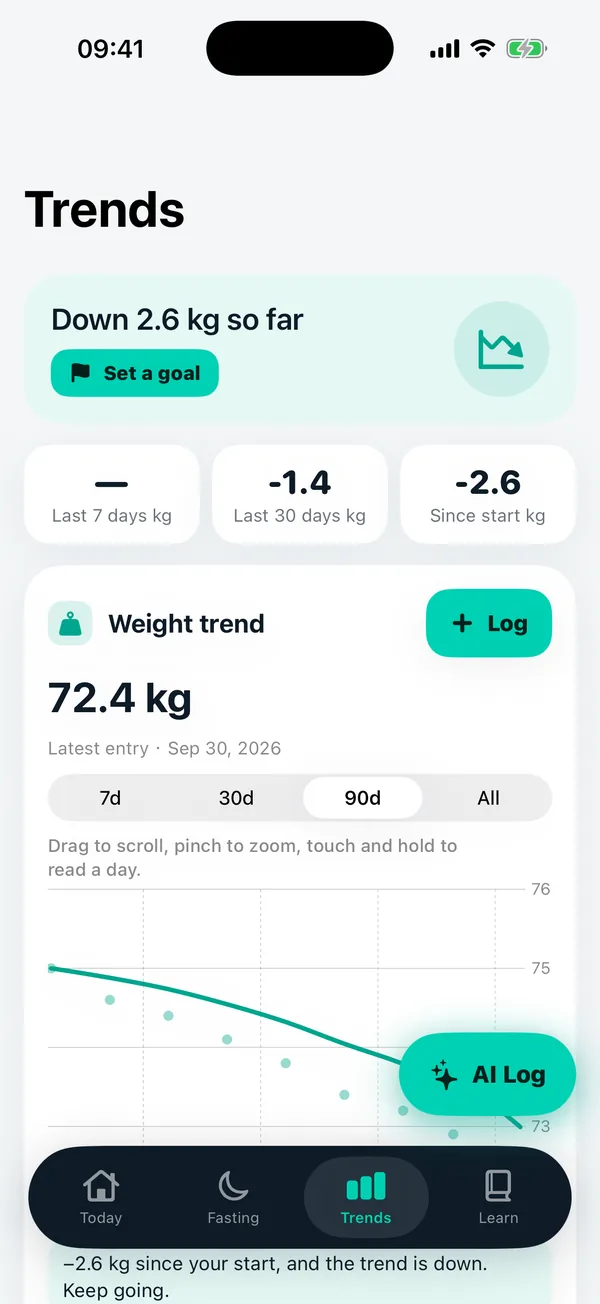
Weight moves up and down for many reasons. Look at the trend over weeks, and add a fasting timer if it suits you.
- 7, 30, 90 day views of your weight.
- Change since your start at a glance.
- 12:12, 14:10 or 16:8 fasting windows.
- A safety check before any fast, and no foods prescribed.
AI coach
A coach that admits what it does not know.
Ask how your week went or what to focus on. Answers come from your own records, in plain text, in a tone you choose.
- Friend or coach tone. Calm, specific, never shaming.
- Grounded in your numbers. If records are thin, it says so.
- Its own daily allowance, separate from photo and voice logging.
- Asks for consent first, and you can withdraw it any time.
Learn
Short reads, with sources.
Practical ideas on food, movement and habits, written for real life and linked to where the information comes from.
- Three-minute articles you can finish on a bus.
- Sources listed on every article.
- Read them on this site or inside the app.

Built for real life
No perfect days required.
A plan that survives a busy week beats a perfect plan you drop on Wednesday. BiteJot AI is built around that idea.
Illustrative image, generated with AI.
How it works
Four steps, every day.
Log it
Photo, voice, text or barcode. Whatever takes the least effort right now.
Check it
Review the foods and amounts. Fix anything that looks off before saving.
See your day
Watch the rings fill in and see what is left to eat today.
Keep going
Follow your weight trend, ask the coach, and adjust. Small steps add up.
Honest by design
We tell you what the AI does, and what it does not.
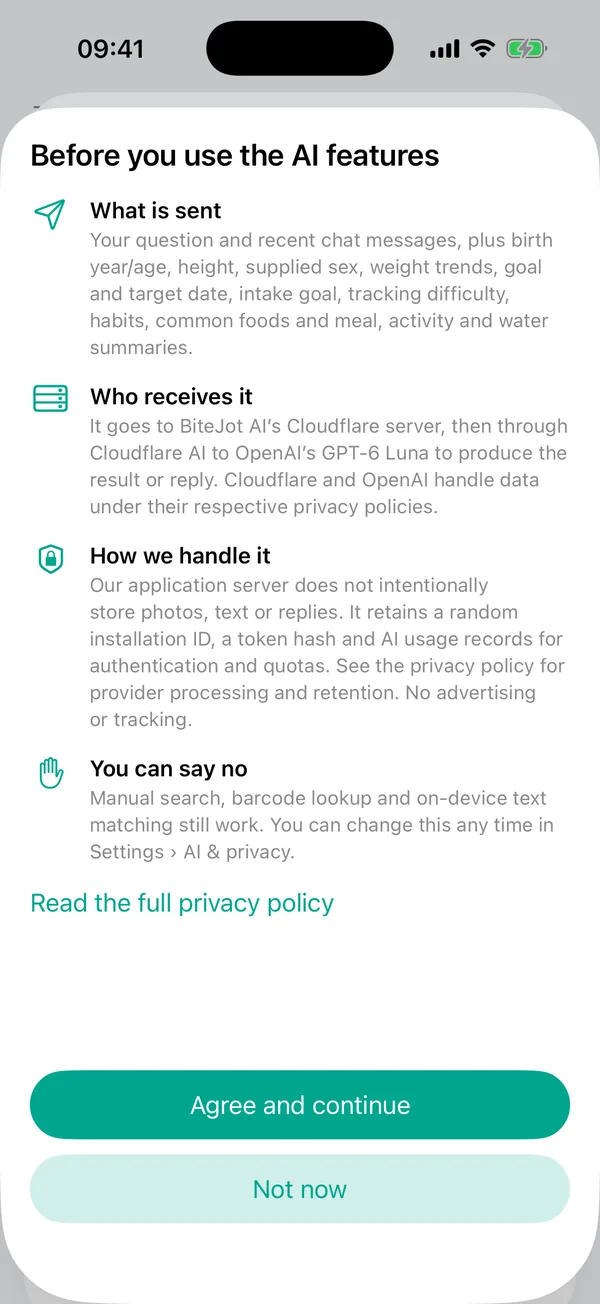
The AI recognizes foods and estimates amounts. That is its whole job. Here is the consent screen you see before any AI feature runs.
- AI only after you agree. Withdraw any time in Settings.
- Calories from databases, never made up by the AI.
- Your records stay on your phone. No account, no ads, no tracking.
- Delete your server data from Settings, whenever you like.
Nutrition data
Public, citable sources.
Calories come from established databases, and the app links to each one.
Questions
Good to know.
Is it free?
BiteJot AI is free to download, and the first public version is free to use with no account. AI features have daily limits so the service stays reliable. If paid options are ever added, they will be announced clearly in the app before anyone is charged.
When can I download it?
The app is in Apple's App Review now. It is not on the App Store yet, and this site will link to the official page the day it is approved. Until then, please be careful with any download link that claims to be BiteJot AI.
How accurate is photo logging?
It is an estimate, not a measurement. The AI recognizes the foods in your photo and guesses the portions. You review every item and can change the food or the amount before anything is saved. Mixed dishes, dark photos and unusual portions are more likely to need a correction.
Where do the calories come from?
From nutrition databases, not from the AI. Each food is matched to USDA FoodData Central or the Taiwan FDA food composition database. If a food can't be matched, the app tells you and asks you to pick a similar food or remove it, instead of guessing a number.
Do I need an account?
No. There is no sign-up. Your meals, weights and history are stored on your phone.
What happens to my photos and meals?
Your records stay on your phone. When you use an AI feature, and only after you agree, the photo, text or question is sent through our server to OpenAI's GPT-6 Luna model via Cloudflare to produce the answer. The privacy policy explains exactly what is sent and what is kept. You can turn AI off at any time and still search, scan barcodes and log by hand.
Can I delete my data?
Your records live on your phone, so deleting the app removes them. For the small amount kept on our server (a random installation ID, a token hash and AI usage counts), Settings has a Server data section where you can copy your installation ID or delete those records.
Does it work offline?
Searching foods and viewing your history work without a connection. AI photo, voice and text recognition and the AI coach need the internet.
Is it available everywhere?
The AI features are not available in mainland China, Hong Kong and Macao. Everywhere else the App Store offers the app, you can use it. Manual search and logging work in every region.
Is this medical advice?
No. BiteJot AI gives estimates and general wellbeing information, not diagnosis or treatment. It is for adults aged 18 and over. Talk to a health professional if you are pregnant, have an eating disorder or a medical condition, or are unsure what is right for you.
Ready when you are.
BiteJot AI is in Apple's App Review. We will link the official App Store page here the day it is approved.